
Consortially Collaborating in California
led by Claremont McKenna College.
Time Since CLAC 2026 Wrapped Up
What a Conference. What a Community.
CLAC 2026 brought together IT leaders from across liberal arts institutions for three remarkable days in Claremont. From the AI ScreenShare pre-conference to the Presidential Roundtable dinner and an unforgettable evening with ComedySportz, we are so grateful for every attendee, presenter, and volunteer who made it happen.
The Presidential Roundtable Dinner
An intimate dinner at the historic Athenaeum, where CMC and Scripps presidents led a candid conversation about the future of the consortium model — AI, autonomy, and collective scale. A truly memorable evening.
AI ScreenShare Pre-Conference
A hands-on, unconference-style showcase where participants shared what they've actually built with AI — workflows, scripts, demos — and learned from peers across liberal arts institutions. Nearly 50 attendees, two days, no slides required.
ComedySportz Improvisational Comedy
Fast-paced, audience-driven improv from professional players. We explored film noir, parent-child relationships, hip-hop, and the interesting things on a staff member's phone. It was exactly the kind of evening that turns first-time attendees into regulars.
The Conversation Doesn't Stop Here.
The CLAC community is most powerful when it keeps talking. The #clac2026 channel on CLAC Slack is where the conversation lives on — share what you've implemented since the conference, reconnect with people you met, and keep the momentum going.
Join CLAC Slack
Stay plugged into the CLAC community all year long. The #clac2026 channel is where post-conference energy lives.
City of Trees and PhDs
We are thrilled to welcome the CLAC community to Claremont. CLAC 2026 brings us together to discuss the future of liberal arts technology in a highly collaborative environment.
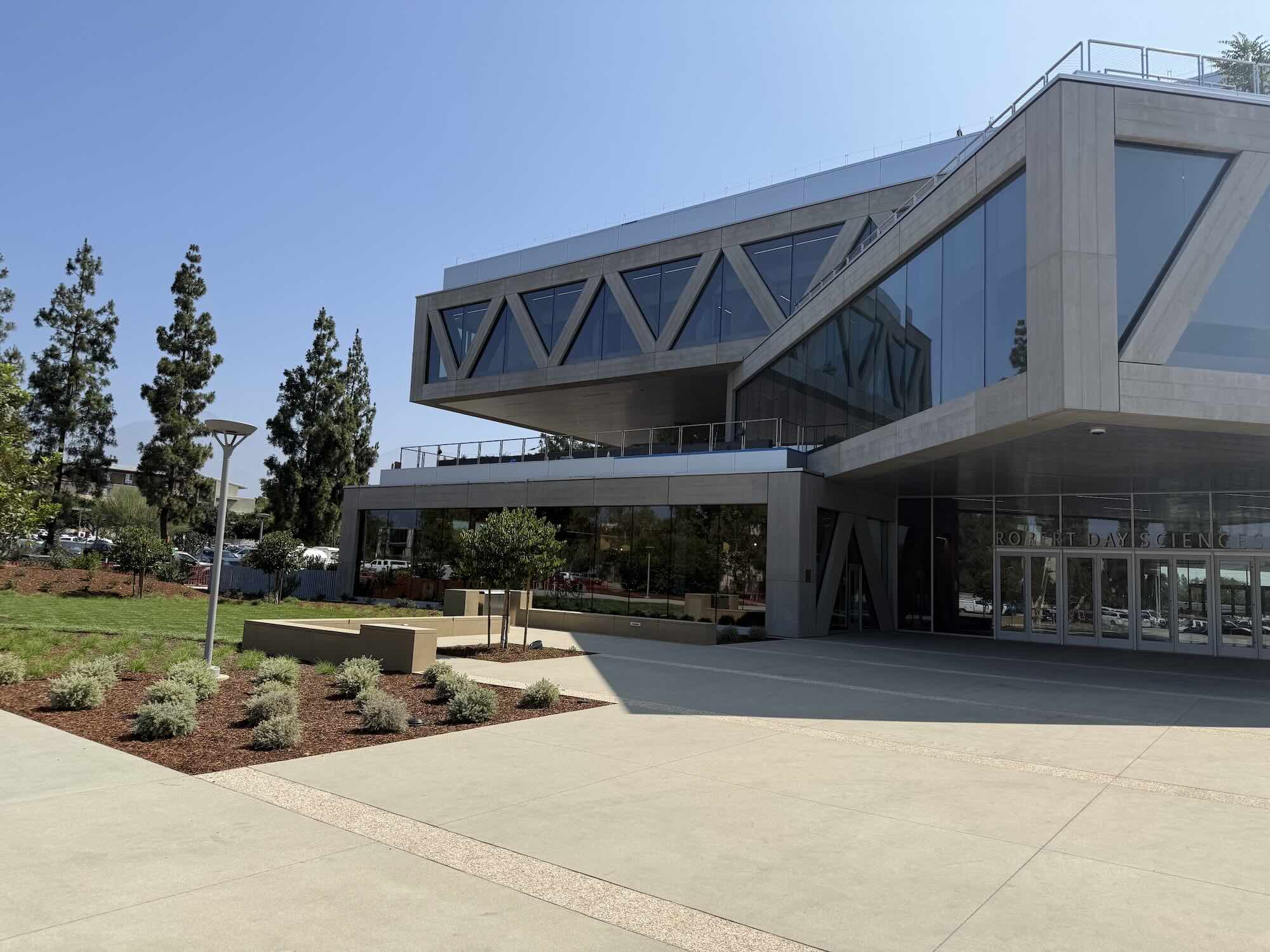
Robert Day Sciences Center
Experience the future at the newly unveiled Robert Day Sciences Center at Claremont McKenna College. Designed by the world-renowned BIG (Bjarke Ingels Group), this architectural marvel features a "hashtag" stack of rotated volumes that create a sky-lit central atrium.
Explore Campus